Dünyasan Savunma A.Ş.
Digital Infrastructure

We track production live, at the machine

We built Dünyasan ERP in house. Every step from order to dispatch is recorded where the work happens, as it happens.

Why we built it ourselves

Off-the-shelf packages did not understand our production

In defence part manufacturing, the job–machine–shift triangle does not behave the way packaged ERP assumes: one job runs across several machines, a shift crosses midnight, and quality approval steps in mid-production.

Building it ourselves let us fit the software to the process instead of the process to the software. Feedback from the floor reaches the screens the same week.

Every screen below is in daily use on our shop floor — none of them were put together for this page.

Dünyasan ERP
For the companies we work with

Follow your order on your own screen

We open a separate login for you. How much of your project is complete, whether production is running right now and what was made between any two dates you choose — you see it yourself, without calling us for a status update.

The screen opens only your own project to you. Which project becomes visible to which company is marked one by one — deliberately so: a wrong match must never show another company’s data.
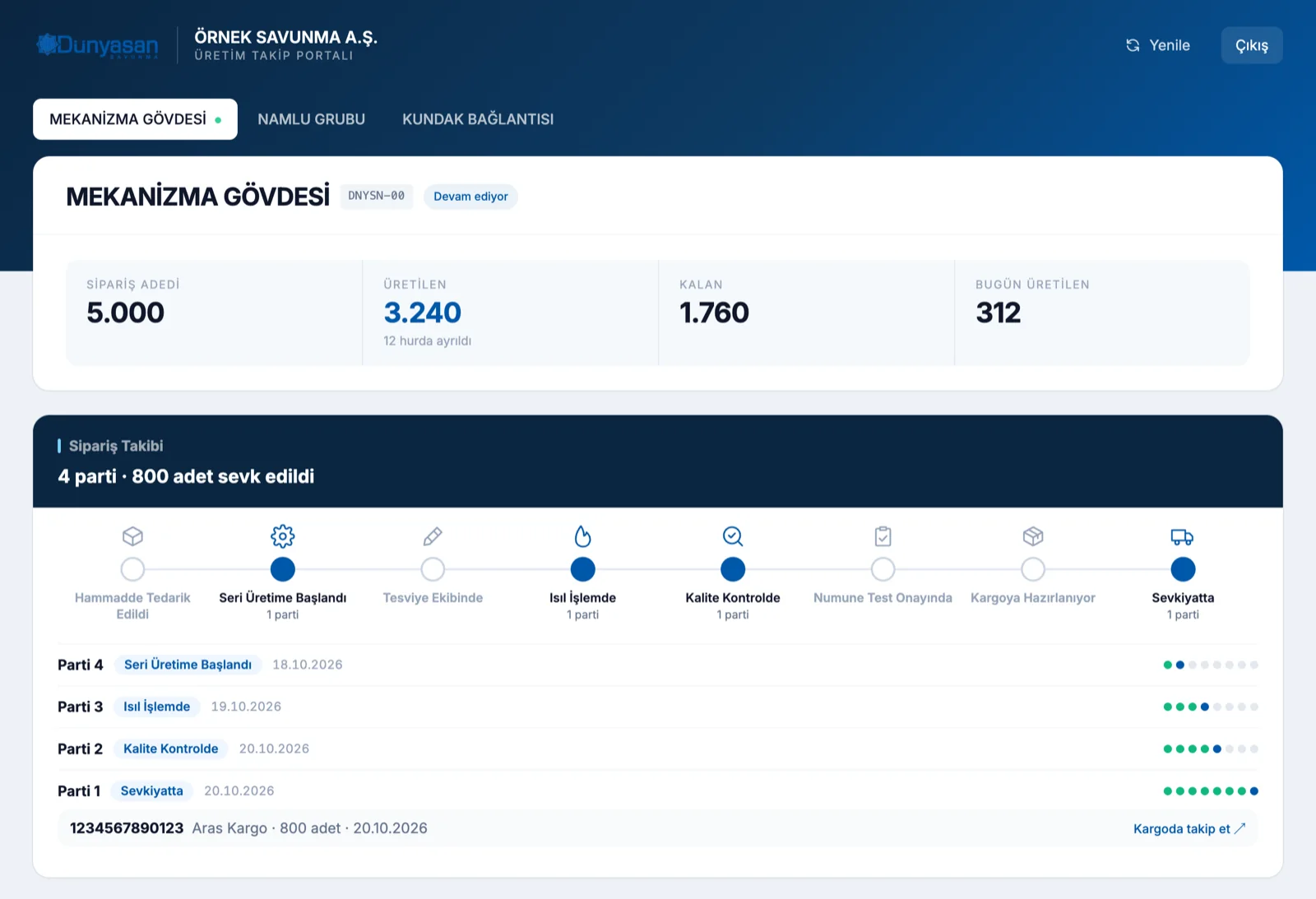
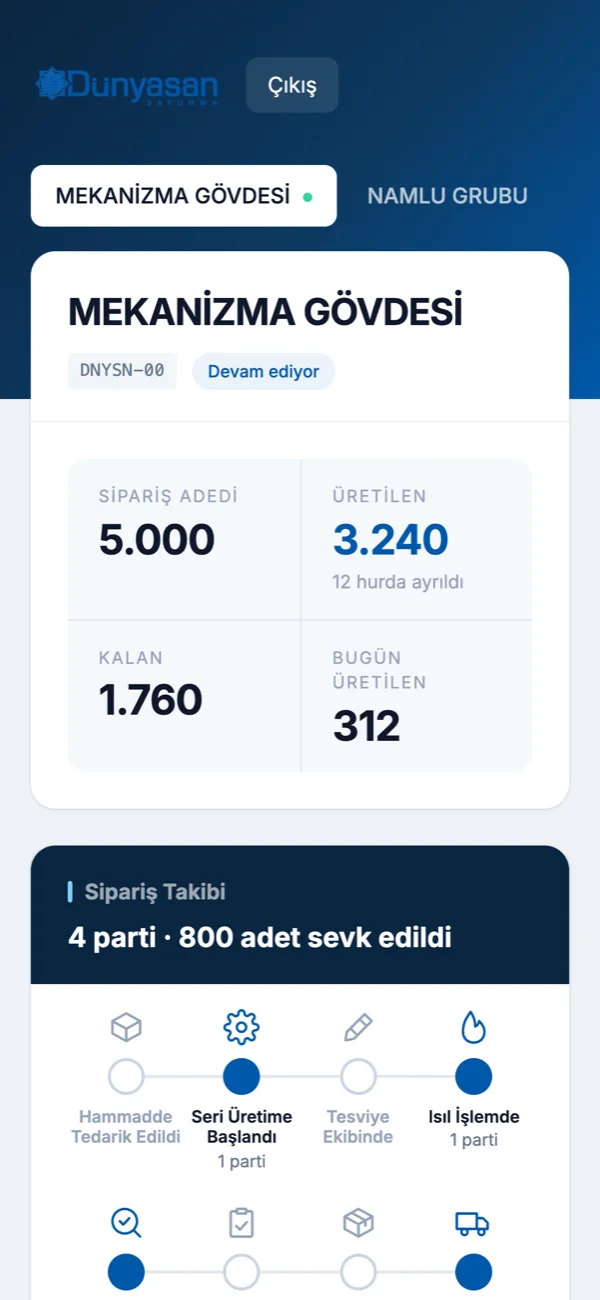
Completion rate Quantity produced against the order, what is left and the percentage complete sit at the centre of the screen. You do not wait for a report to see which part you are on.
Production runningWhether your project has an open production session right now.
Date rangeFilter what was produced between any two dates you choose.
Message your contactAsk from inside the screen; our production engineer answers in the same place.
Only your projectNothing beyond the projects opened to your company; no other record appears.
Shall we open access?We open accounts for the companies we work with; setup takes no work on your side.
Get in touch
Machine tracking

Every machine is run from its own screen

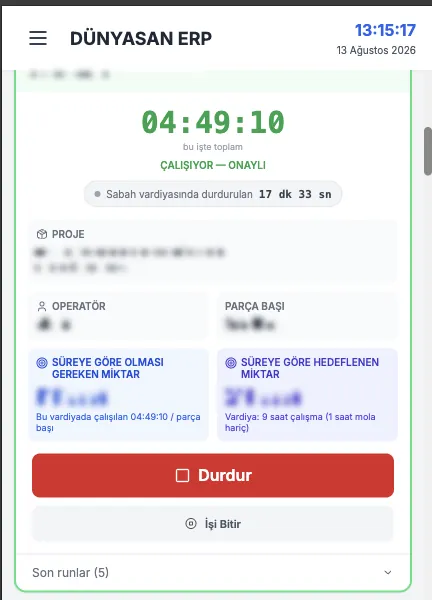
The operator starts the job at the panel, logs stoppages and closes it; the system keeps the time. How long each job ran on that machine, how much of the shift was downtime and where the cycle time stands against target are all on one screen.

Whoever plans production and whoever stands at the machine read the same data. A delay surfaces without waiting for the shift to end.
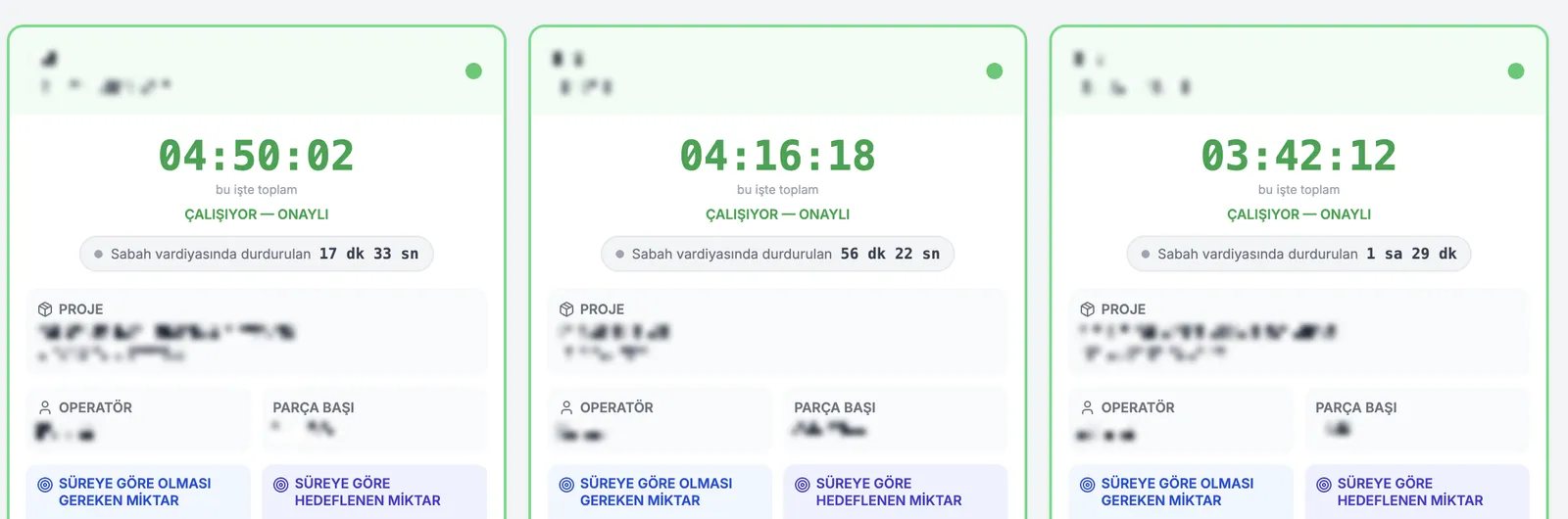
Dünyasan ERP machine cards: running time, downtime and cycle time
Three machine cards from the production screen. Machine, project, operator and timing details are masked.
35Machines Tracked
3Shifts
LiveStatus
Per PartTime Records
Shifts

The day closes with its own summary

When the day and night shifts close, running and downtime hours, machine utilisation and efficiency gather on a single screen. If a shift falls short, it is seen the same day rather than the next.

Stoppages are logged with their reason: a tooling change, waiting on material, a breakdown. Recurring causes become visible that way.
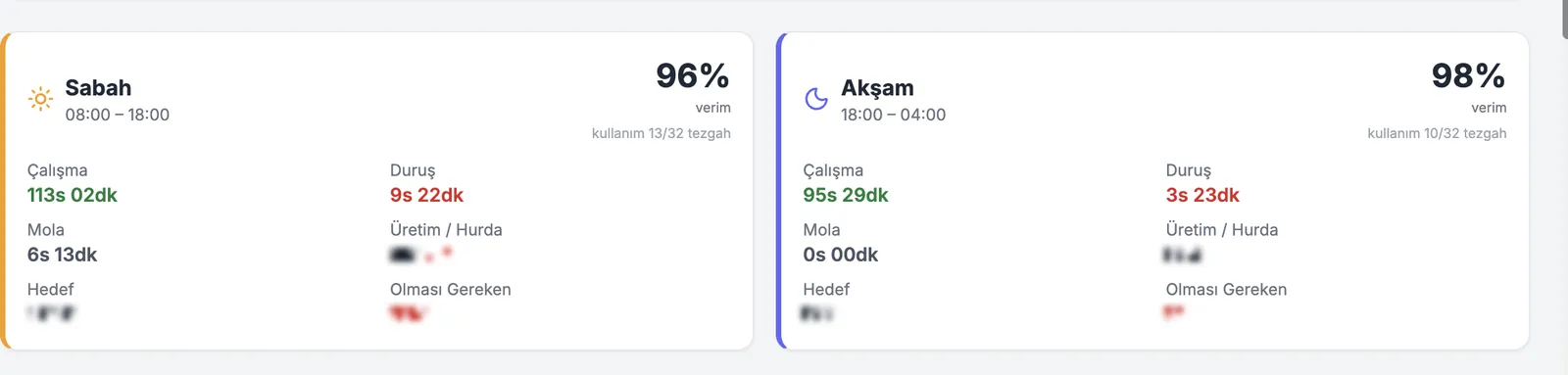
Dünyasan ERP shift summary: running time, downtime, breaks and efficiency
Shift summary. Output quantities are masked.
Dünyasan ERP on the machine panel
The touch panel at the machine
On the floor

The system sits inside the shop floor

The same screen is open on the touch panel beside the machine. The operator starts and finishes the job right there; there is no writing it on paper and typing it in later — the record is made where and when the work happens.

A shift supervisor walking the floor can see the machines from a phone: which is running, which is stopped, how long each job has taken.

Traceability

A dispatched part can be read backwards through its history

EN 9100 quality management requires records to be kept; we keep them in the same place as the work itself rather than in a separate ledger. When the question comes later, every link of the chain is still there.

OrderThe customer order becomes a work order with a delivery date.
MaterialThe stock issue is tied to the work order with its batch details.
ProductionMachine, operator and time are written onto the job.
QualityNo job counts as finished until its measurements are approved.
DispatchThe batch that ships stays on record with the work order behind it.
Scope

The rest of the business, alongside production

The system covers not only the machines but everything from order to invoice. All of it on one database; the modules are not islands.

Production TrackingMachine sessions, stoppage reasons, shift and efficiency reports.
Quality ControlMeasurement records and approval flow; unapproved work never reads as done.
Stock and WarehouseRaw material and finished goods movements, counts, requests and receipts.
DispatchOutgoing batches, delivery notes and handover tracking.
Quotes and OrdersOne flow from incoming enquiry to quote to work order.
Company AccessThe companies we work with follow their own projects from their own account.
PurchasingRequests, orders and goods receipt, on the same record as accounting.
Accounting and FinanceLedger movements, cash, collections and payments.
People and ShiftsShift plans, leave approvals, timesheets and payroll preparation.
Document RegisterIncoming and outgoing documents, internal coding and archive.
MaintenanceMachine maintenance records and fault history.
ReportingDaily and periodic reports, inside each module’s own screen.

Would you like to see the system in place?

Let us walk you through how your production is tracked here, screen by screen.

Get in touch